Dabble Control
ICT 361: Introduction to Robotics

Mr. Seng Theara
Learning Objective
By the end of the lesson, student will be able to:
-
Understand how a joystick works electrically
-
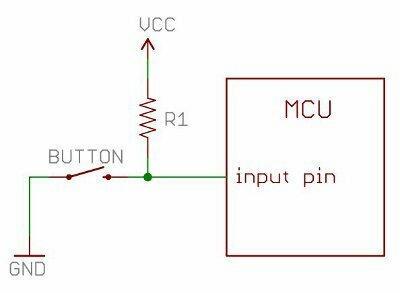
Explain pull-up button logic
-
Read analog and digital signals
-
Map controller inputs to robot movements
-
Design basic control logic for robots
Learning Objective
By the end of the lesson, student will be able to:
-
Explain what Dabble is and why it is used
-
Understand Bluetooth communication between a smartphone and ESP32
-
Configure ESP32 to communicate with Dabble
-
Read joystick and button inputs from the Dabble app
-
Control hardware (LED, motor, robot) using a smartphone
-
Debug common Bluetooth and app-connection issues
What is Dabble?
4 Buttons
Joystick
What is Dabble?
Dabble is a smartphone app that allows you to control microcontrollers without building a custom mobile app.
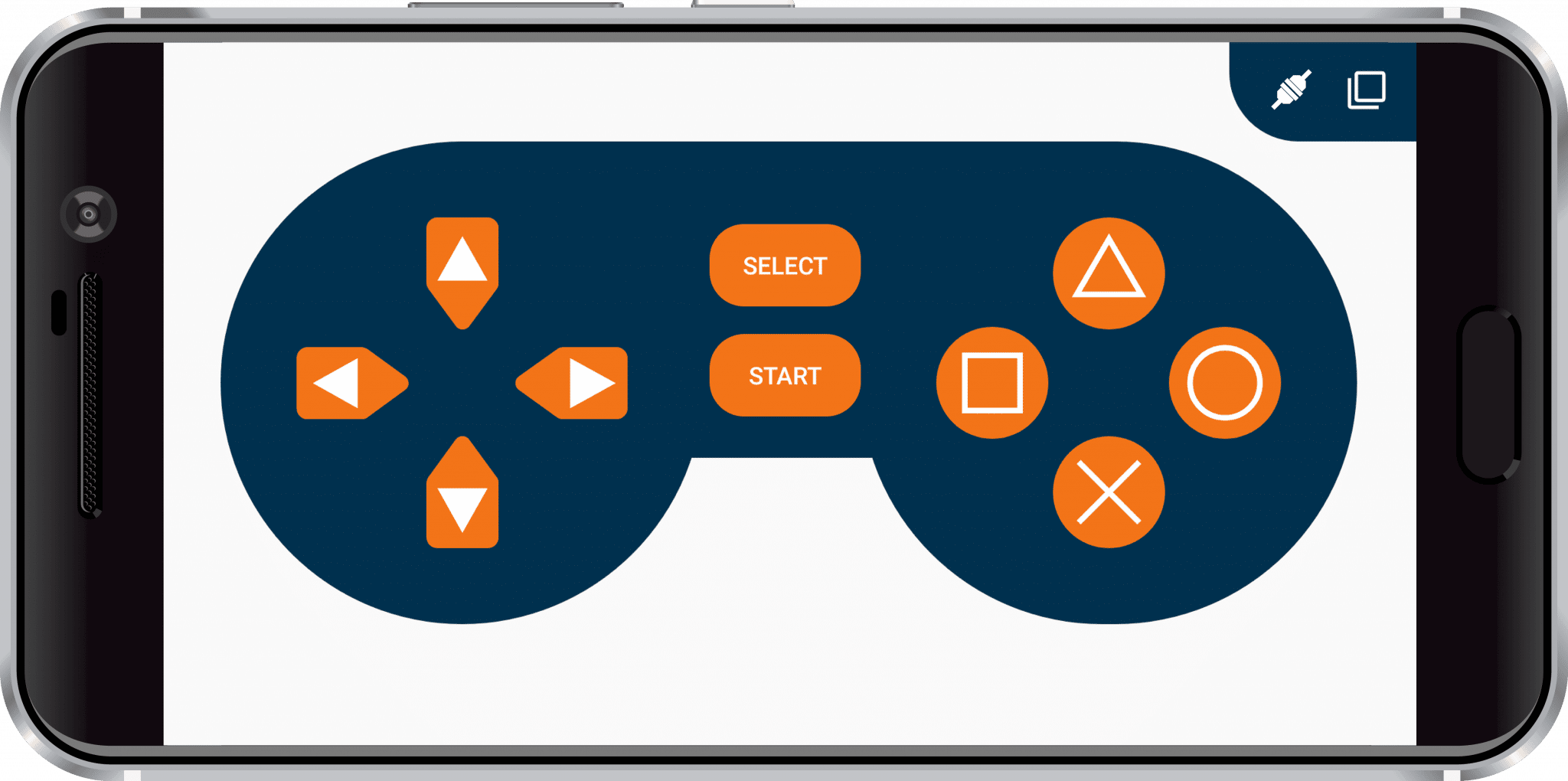
What is Dabble?
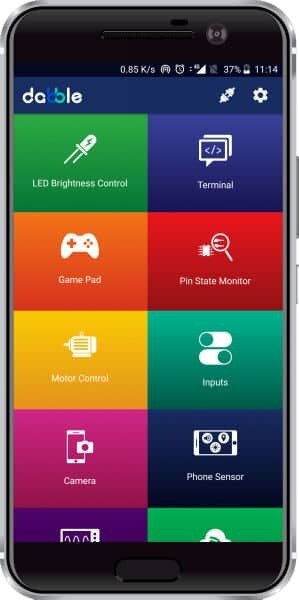
Dabble provides ready-made modules:
-
🎮 Gamepad (joystick, buttons)
-
🔘 Digital buttons
-
📈 Sensor dashboard
-
🔊 Voice control
-
🧭 Accelerometer & gyroscope
-
💬 Terminal
Key Idea
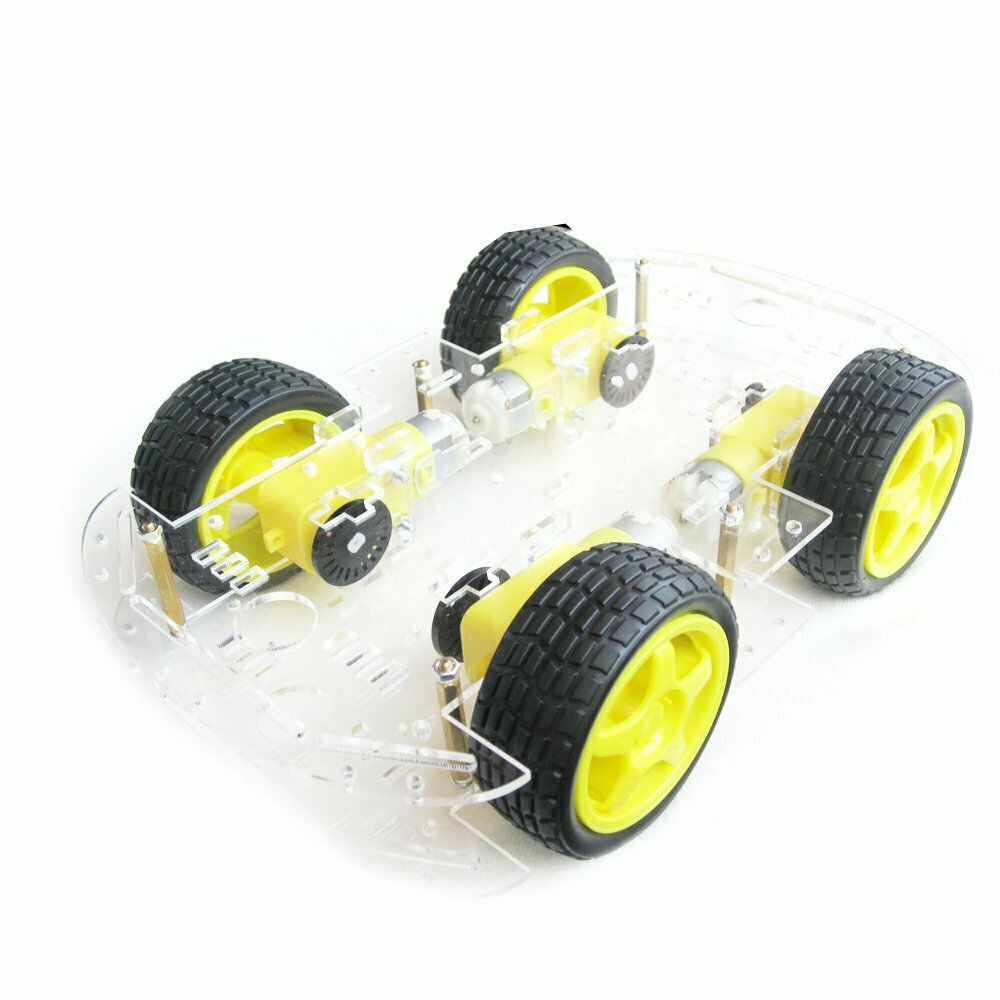
Smartphone

ESP32
Hardware
Dabble App Setup
Steps
-
Install Dabble on phone
-
Enable Bluetooth
-
Open Dabble
-
Select Gamepad Module
-
Connect to ESP32 Bluetooth name
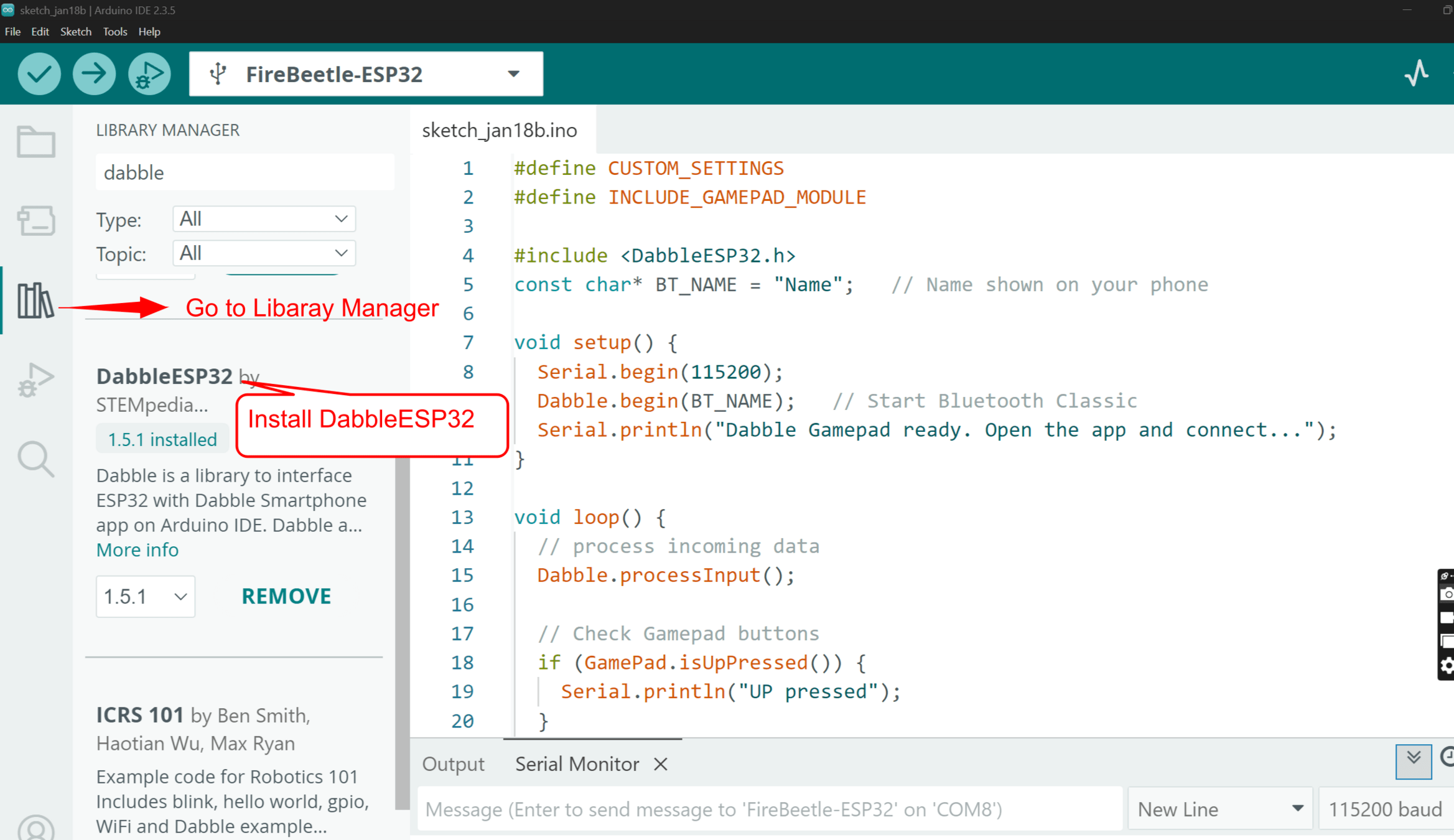
Install DabbleESP32 Library
Gamepad Module

UP
LEFT
DOWN
RIGHT
SQUARE
TRIANGLE
CIRCLE
CROSS
Digital Mode Code
UP
LEFT
DOWN
RIGHT
SQUARE
TRIANGLE
CIRCLE
CROSS
#define CUSTOM_SETTINGS
#define INCLUDE_GAMEPAD_MODULE

#include <DabbleESP32.h>

const char* BT_NAME = "Name";

void setup() {
  Serial.begin(115200);
  Dabble.begin(BT_NAME);
  Serial.println("Dabble Gamepad connected");
}

void loop() {
  Dabble.processInput();

  // Direction buttons
  if (GamePad.isUpPressed()) {
    Serial.println("UP pressed");
  }
  if (GamePad.isDownPressed()) {
    Serial.println("DOWN pressed");
  }
  if (GamePad.isLeftPressed()) {
    Serial.println("LEFT pressed");
  }
  if (GamePad.isRightPressed()) {
    Serial.println("RIGHT pressed");
  }

  // Action buttons
  if (GamePad.isSquarePressed()) {
    Serial.println("SQUARE pressed");
  }
  if (GamePad.isTrianglePressed()) {
    Serial.println("TRIANGLE pressed");
  }
  if (GamePad.isCirclePressed()) {
    Serial.println("CIRCLE pressed");
  }
  if (GamePad.isCrossPressed()) {
    Serial.println("CROSS pressed");
  }

  // Control buttons
  if (GamePad.isStartPressed()) {
    Serial.println("START pressed");
  }
  if (GamePad.isSelectPressed()) {
    Serial.println("SELECT pressed");
  }

  delay(50);
}
Digital Mode Test
Gamepad Module
Gamepad provides:
Joystick Mode
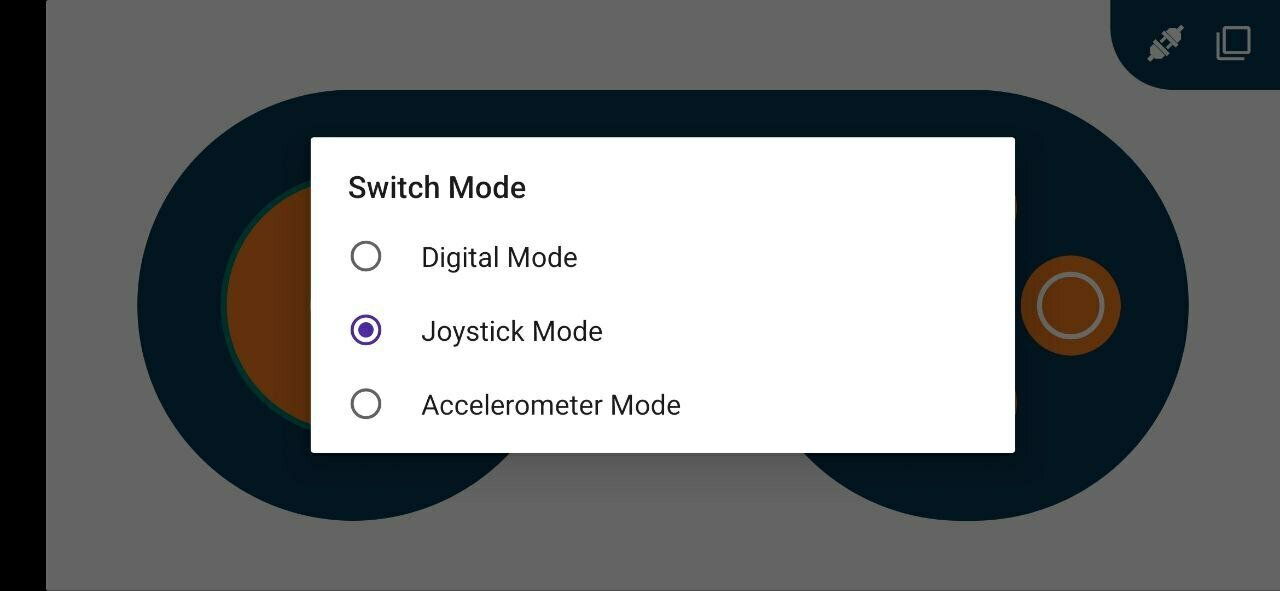

Joystick Mode
7
Y
-7
7
-7
X
Joystick Mode
7
Y
-7
7
-7
X
#define CUSTOM_SETTINGS
#define INCLUDE_GAMEPAD_MODULE

#include <DabbleESP32.h>

const char* BT_NAME = "Name";

int joyX = 0;
int joyY = 0;

void setup() {
  Serial.begin(115200);
  Dabble.begin(BT_NAME);
  Serial.println("Dabble Gamepad - Joystick Mode");
}

void loop() {
  Dabble.processInput();

  // Read joystick values
  joyX = GamePad.getXaxisData();   // -7 to +7
  joyY = GamePad.getYaxisData();   // -7 to +7

  Serial.print("Joystick X: ");
  Serial.print(joyX);
  Serial.print(" | Joystick Y: ");
  Serial.println(joyY);


  delay(100);
}
Joystick Mode
Gamepad Module
Gamepad provides:
Accelerometer Mode
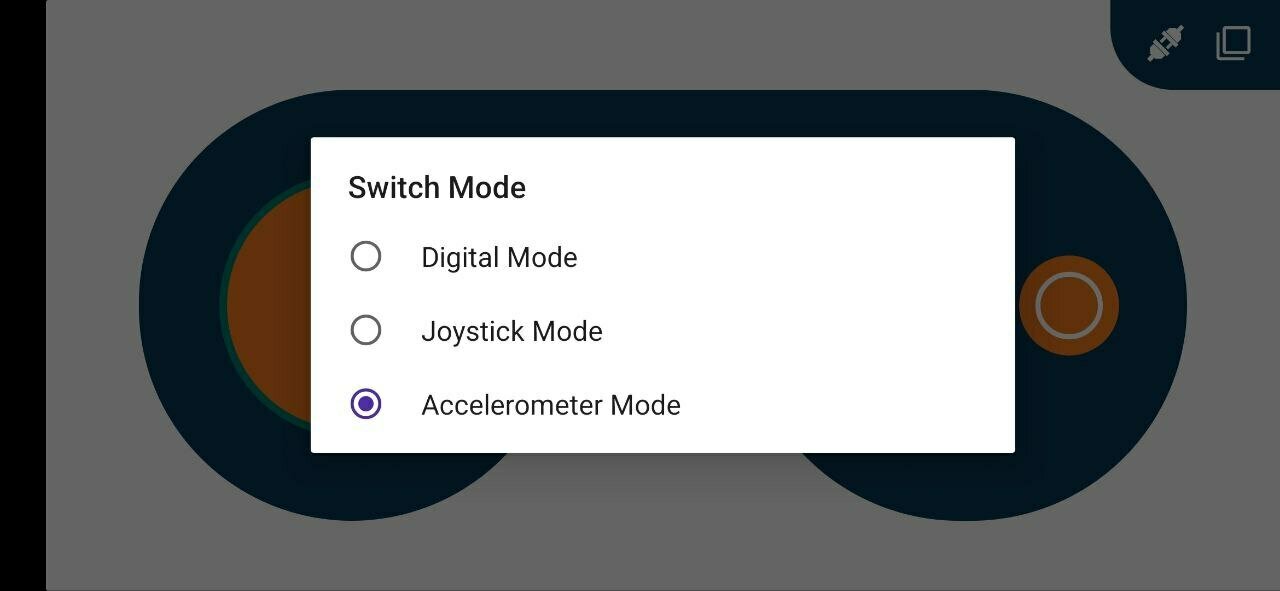

Ultrasonic Sensor
4 Buttons
Joystick
Ultrasonic Sensor
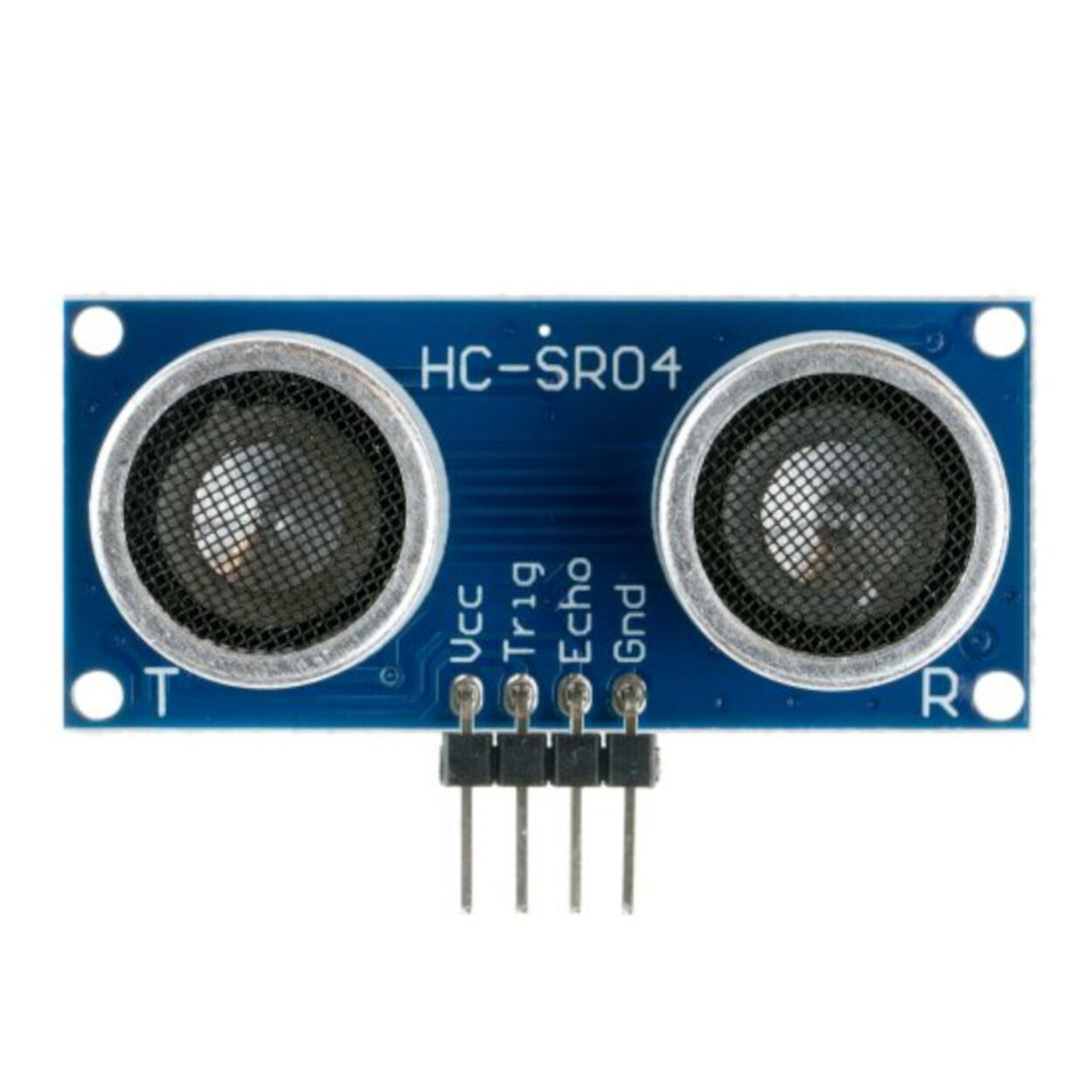
- Trigger pin(output) send ultrasonic sound signal to the object
- Echo pin(Input) wait for ultrasound to reflect back from the object
Connection
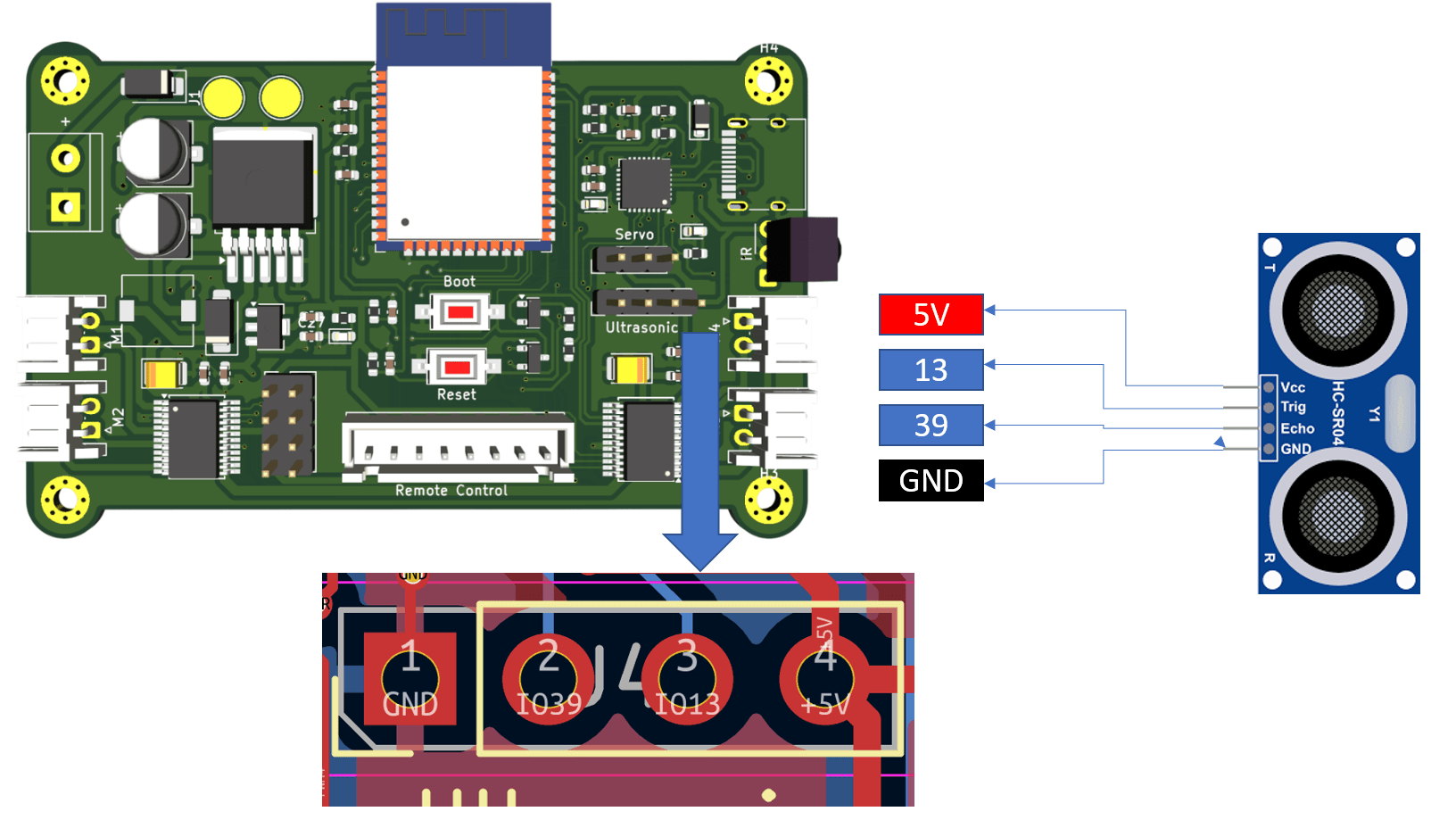
Ultrasonic Sensor
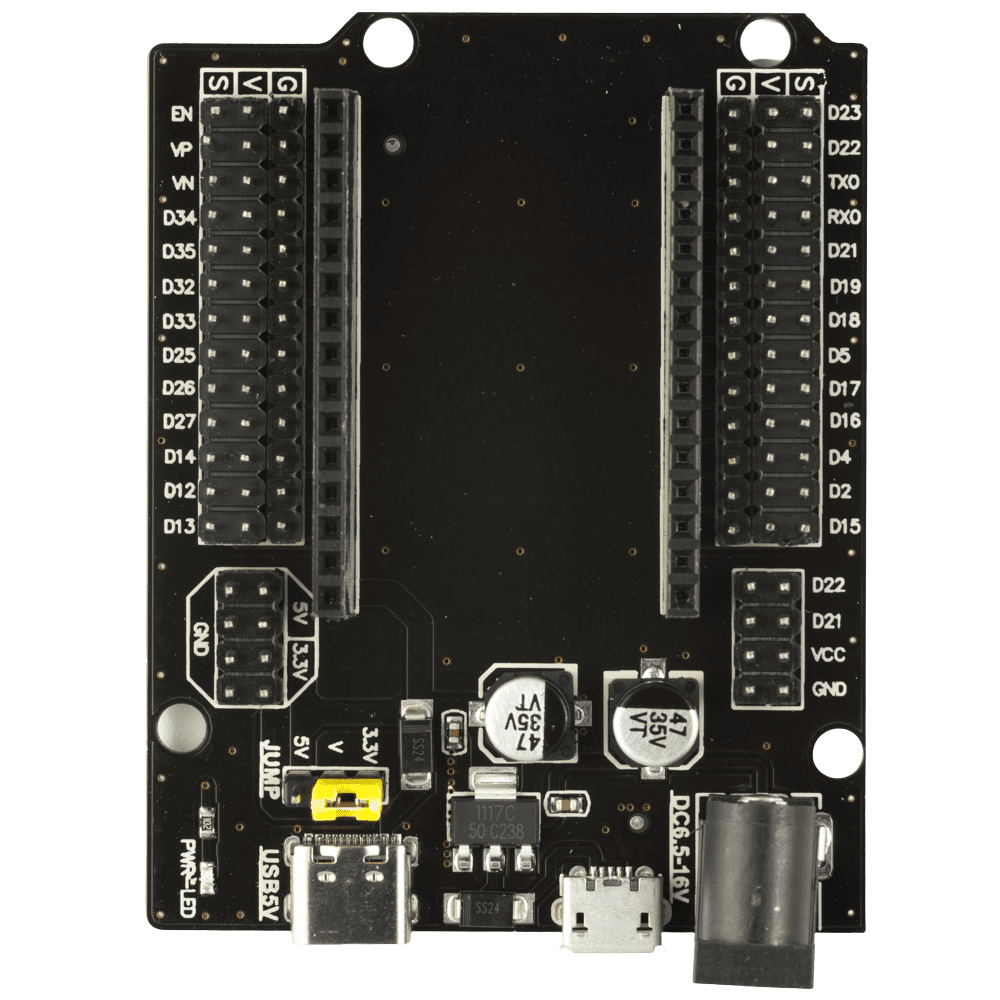
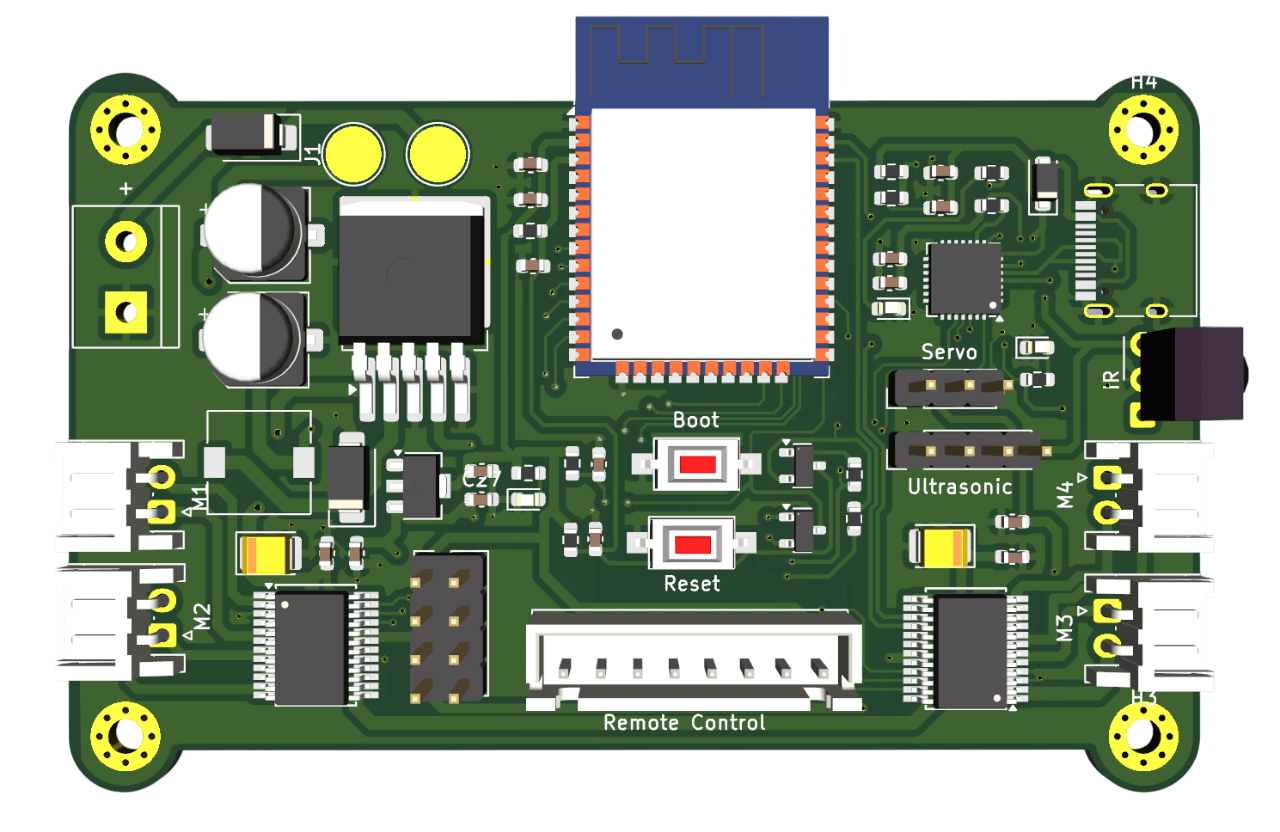
Expansion Board or External Shield
Ultrasonic refers to sound waves with frequencies that exceed the range of what human ears can hear.
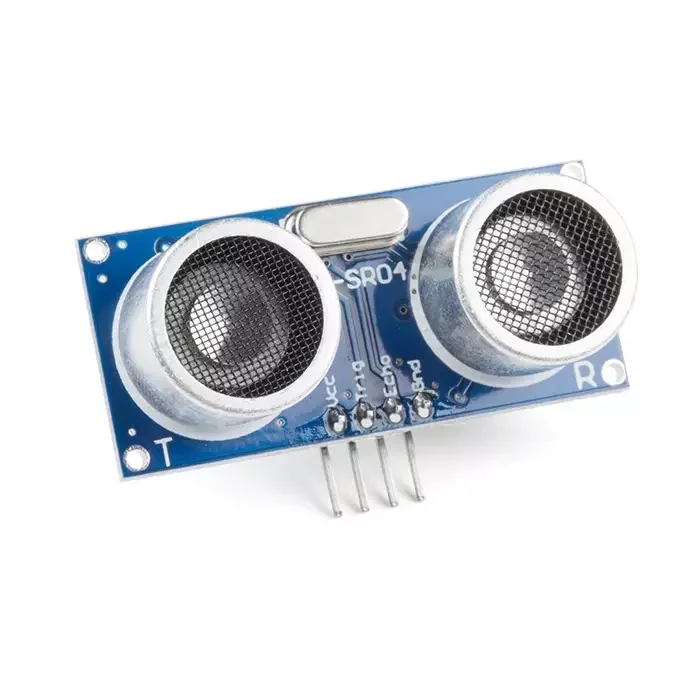
An ultrasonic sensor is an electronic device used to measure distance by sending out high-frequency sound waves (ultrasound) and calculating how long it takes for the sound to bounce back from an object.
Distance Formula
Where
Divide by 2 because the sound travels to the object and back
How Do We Start the Ultrasonic Sensor?
The ultrasonic sensor does nothing until we send a trigger pulse.
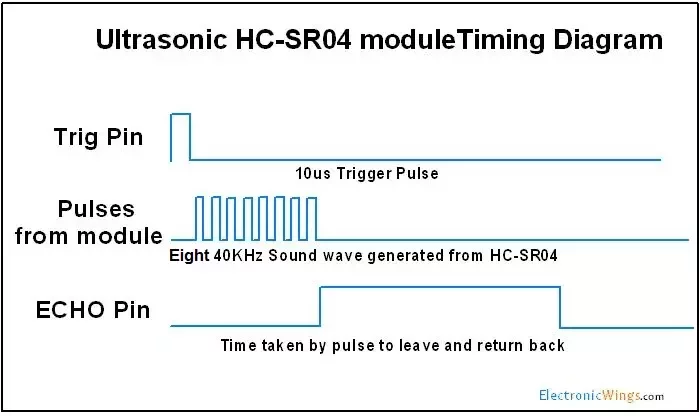
To start measurement:
-
Set TRIG = LOW (2µs)
-
Set TRIG = HIGH (10µs)
-
Set TRIG = LOW again
After trigger:
-
Sensor sends 8 ultrasonic pulses at 40 kHz
-
Sound travels forward
-
Sound reflects from object
-
ECHO pin goes HIGH
-
ECHO stays HIGH until wave returns
Coding
#define TRIG_PIN 13
#define ECHO_PIN 39

long duration;
float distance;

void setup() {
  Serial.begin(115200);
  pinMode(TRIG_PIN, OUTPUT);
  pinMode(ECHO_PIN, INPUT);
}

void loop() {
  digitalWrite(TRIG_PIN, LOW);
  delayMicroseconds(2);
  digitalWrite(TRIG_PIN, HIGH);
  delayMicroseconds(10);
  digitalWrite(TRIG_PIN, LOW);

  duration = pulseIn(ECHO_PIN, HIGH, 30000);
  if (duration == 0) {
    Serial.println("No echo");
  } else {
    distance = (duration * 0.0343) / 2.0;
    Serial.print(distance);
    Serial.println(" cm");
  }

  delay(500);
}
Coding & Testing
#define TRIG_PIN 13
#define ECHO_PIN 39

long duration;
float distance;

void setup() {
  Serial.begin(115200);
  pinMode(TRIG_PIN, OUTPUT);
  pinMode(ECHO_PIN, INPUT);
}

void loop() {
  digitalWrite(TRIG_PIN, LOW);
  delayMicroseconds(2);
  digitalWrite(TRIG_PIN, HIGH);
  delayMicroseconds(10);
  digitalWrite(TRIG_PIN, LOW);

  duration = pulseIn(ECHO_PIN, HIGH, 30000);
  if (duration == 0) {
    Serial.println("No echo");
  } else {
    distance = (duration * 0.0343) / 2.0;
    Serial.print(distance);
    Serial.println(" cm");
  }

  delay(500);
}
Servo Motor
4 Buttons
Joystick
Introduction to Servo Motor
A servo motor is a precision motor that uses a servo motor working principle based on closed-loop feedback control, which can rotate to specific angles with exceptional accuracy
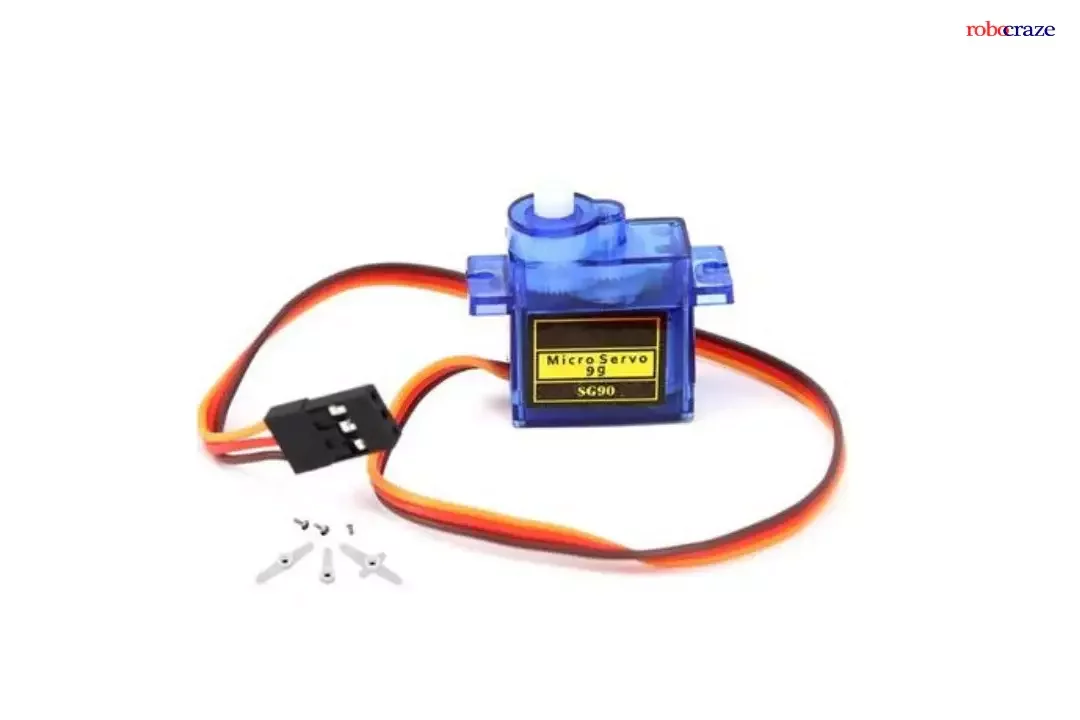
If you want to rotate an object to specific angles or distances, servo motors are the ideal choice due to their servo mechanism with built-in position feedback.
Servo motors are usually rated in kg/cm. For example, a 6kg/cm servo can lift 6kg when the load is 1cm from the motor shaft.
How to control Servo Motor
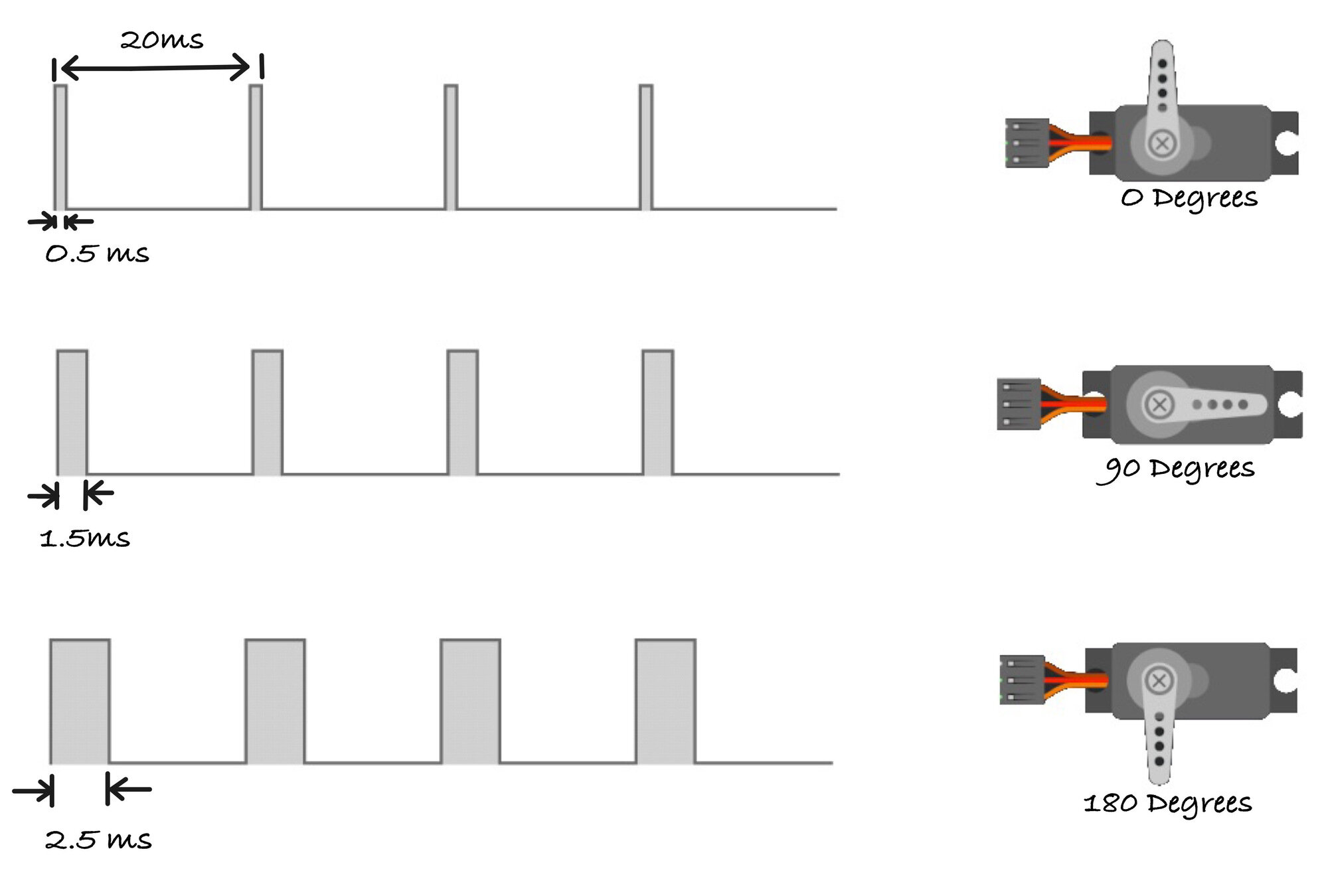
PWM Control Signal Specifications
-
Pulse Period: 20ms (50Hz frequency)
-
0.5 ms pulse width: Servo rotates to 0° position
-
1.5ms pulse width: Servo moves to 90° (neutral position)
-
2.5ms pulse width: Servo rotates to 180° position
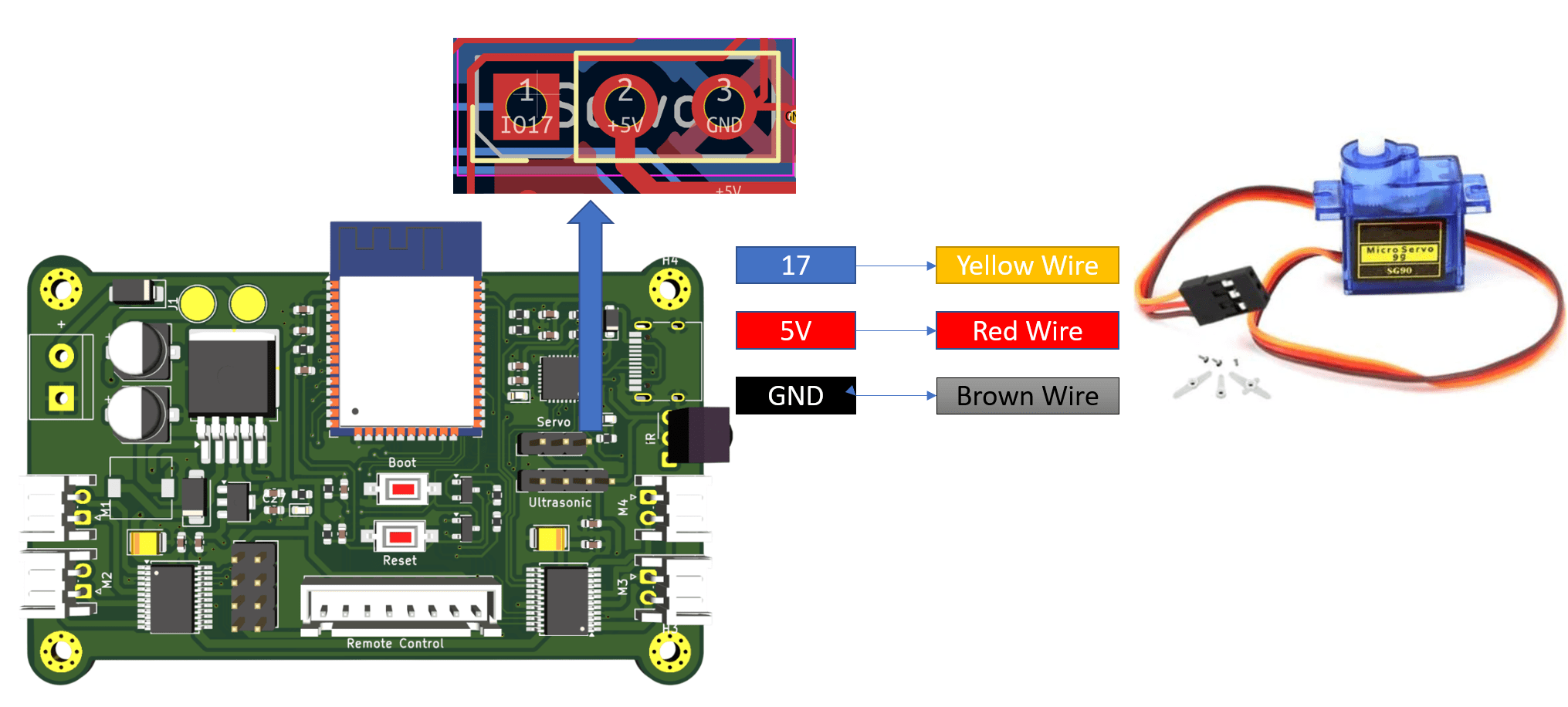
Connection
Library Install
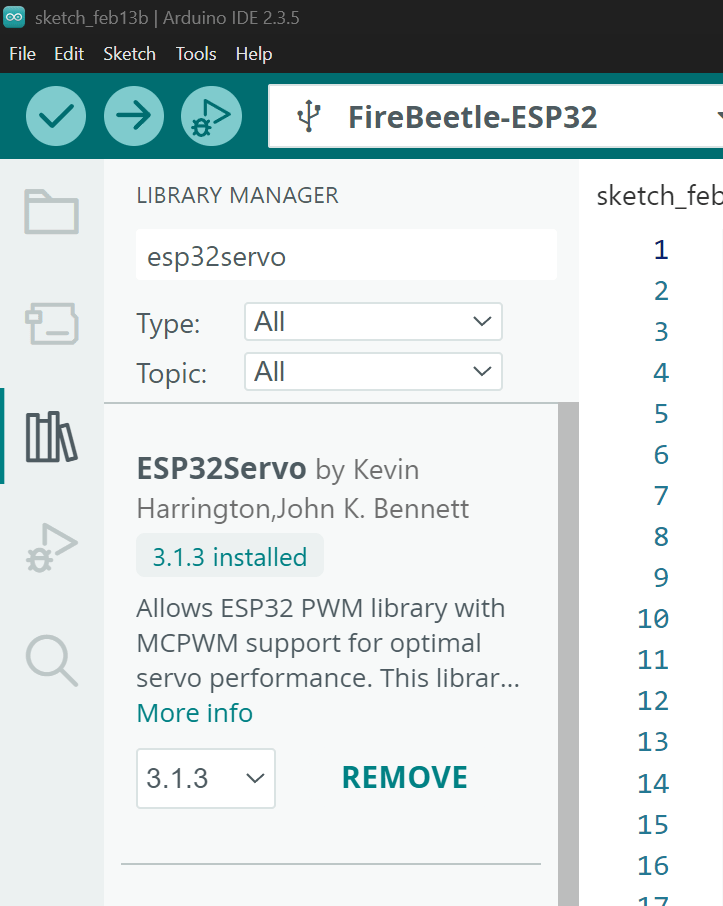
Go to Library Manager and Install ESP32 Servo
Coding
#include <ESP32Servo.h>

Servo myServo;

void setup() {
  myServo.attach(17);
}

void loop() {
  myServo.write(0);
  delay(1000);

  myServo.write(90);
  delay(1000);

  myServo.write(180);
  delay(1000);
}
From this code, you will see your servo moves from 0 degree to 90 degree and then 180 degree