Finger Count using MediaPipe
Published:
🖐️ Finger Detection and Counting using MediaPipe
Real-time hand tracking and finger counting is one of the most engaging ways to introduce computer vision concepts. In this post, we will explore how to build a simple yet powerful system that detects hands and counts fingers using MediaPipe and OpenCV in Python.
This project demonstrates how modern AI libraries allow us to build interactive applications with minimal code while still understanding the underlying logic.
🚀 What This Project Does
The system uses your webcam (or IP camera) to:
- Detect a human hand in real time
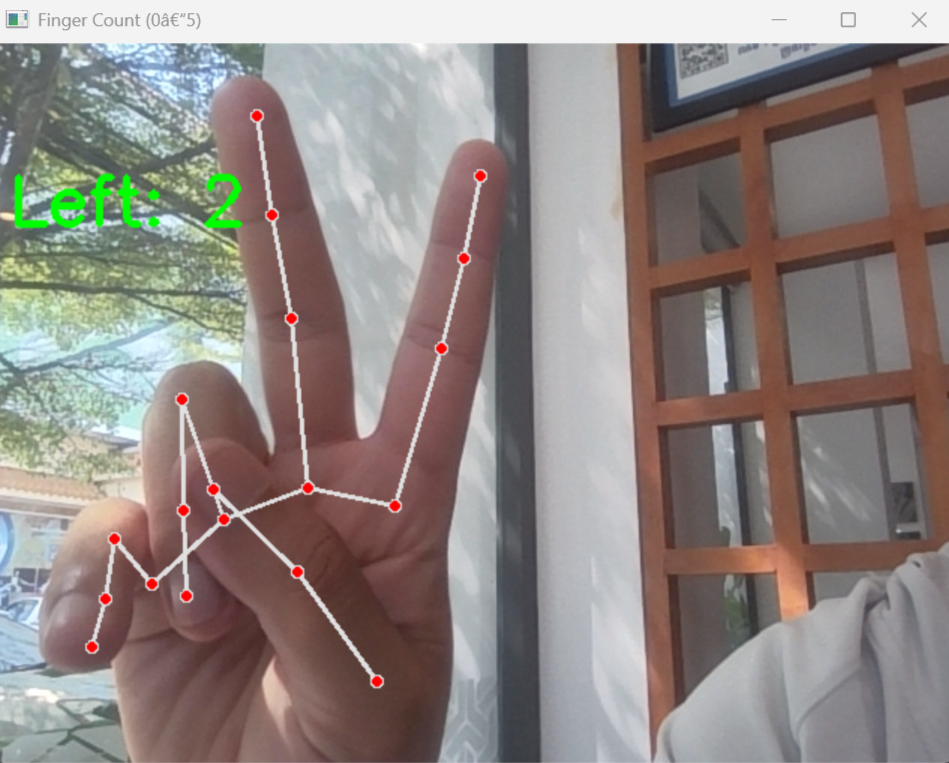
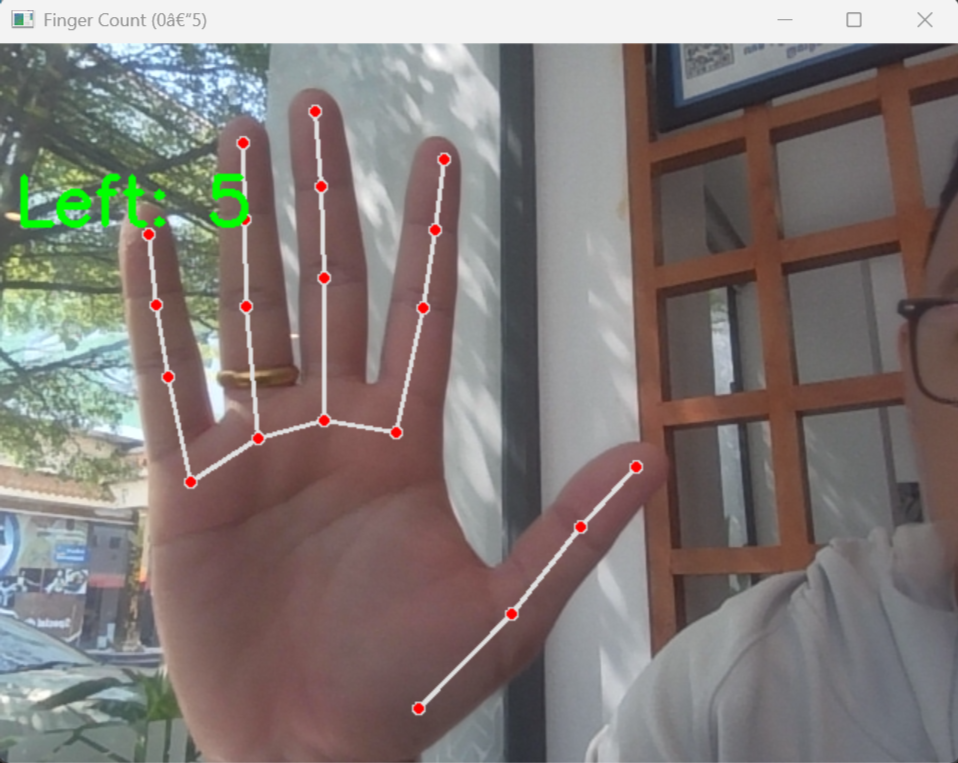
- Track key landmarks (finger joints)
- Count how many fingers are raised
- Display the result live on the screen
This can be extended into applications such as:
- Gesture-based control systems
- Touchless interfaces
- Robotics control using hand gestures
- Interactive installations
🧠 Key Concepts
This project introduces several important ideas:
1. Computer Vision
Using cameras to extract meaningful information from images.
2. Landmark Detection
MediaPipe identifies 21 key points on the hand, including fingertips and joints.
3. Real-Time Processing
Each frame from the camera is processed continuously to give instant feedback.
4. Logic-Based Finger Counting
Finger states are determined by comparing landmark positions.
🛠️ System Requirements
Software
- Python 3.10 or 3.11
- Visual Studio Code (recommended)
- Git (optional but useful)
⚠️ MediaPipe may not work properly with Python 3.12+
Hardware
- Webcam (built-in or external)
- OR IP camera stream
📂 Project Structure
Finger_Detection_Assignment/
├── Finger_count.py # Main program
├── README.md # This file
Create a virtual environment
Windows
python3 -m venv myenv
macOS / Linux
python3 -m venv myenv
Verify Installation
Run in the terminal
python3 --version
You should see
Python 3.11.9
Activate the virtual environment
.\myenv\Script\activate
Install Required Python Libraries
Ensure the virtual environment is activated before installing packages.
pip install mediapipe==0.10.11 opencv-python
Run the program
The code for the finger Detection is below:
import cv2
import mediapipe as mp
import time

mp_hands = mp.solutions.hands
mp_drawing = mp.solutions.drawing_utils


def count_fingers(hand_landmarks, handedness):
    """
    Return how many fingers are up (0–5).
    handedness: 'Left' or 'Right'
    """
    lm = hand_landmarks.landmark
    fingers_up = 0

    # ---- Thumb ----
    thumb_tip = lm[mp_hands.HandLandmark.THUMB_TIP]
    thumb_ip  = lm[mp_hands.HandLandmark.THUMB_IP]

    if handedness == "Right":
        if thumb_tip.x < thumb_ip.x:
            fingers_up += 1
    else:  # Left hand
        if thumb_tip.x > thumb_ip.x:
            fingers_up += 1

    # ---- Other fingers ----
    finger_tips = [
        mp_hands.HandLandmark.INDEX_FINGER_TIP,
        mp_hands.HandLandmark.MIDDLE_FINGER_TIP,
        mp_hands.HandLandmark.RING_FINGER_TIP,
        mp_hands.HandLandmark.PINKY_TIP,
    ]
    finger_pips = [
        mp_hands.HandLandmark.INDEX_FINGER_PIP,
        mp_hands.HandLandmark.MIDDLE_FINGER_PIP,
        mp_hands.HandLandmark.RING_FINGER_PIP,
        mp_hands.HandLandmark.PINKY_PIP,
    ]

    for tip_id, pip_id in zip(finger_tips, finger_pips):
        if lm[tip_id].y < lm[pip_id].y:
            fingers_up += 1

    return fingers_up


def main():
    cap = cv2.VideoCapture(0)
    cap.set(cv2.CAP_PROP_FRAME_WIDTH, 640)
    cap.set(cv2.CAP_PROP_FRAME_HEIGHT, 480)


    with mp_hands.Hands(
        max_num_hands=2,
        model_complexity=1,
        min_detection_confidence=0.5,
        min_tracking_confidence=0.5
    ) as hands:

        while True:
            ret, frame = cap.read()
            if not ret:
                break

            frame = cv2.flip(frame, 1)
            rgb = cv2.cvtColor(frame, cv2.COLOR_BGR2RGB)
            results = hands.process(rgb)

            if results.multi_hand_landmarks:
                for hand_landmarks, handedness in zip(
                        results.multi_hand_landmarks,
                        results.multi_handedness):

                    mp_drawing.draw_landmarks(
                        frame,
                        hand_landmarks,
                        mp_hands.HAND_CONNECTIONS
                    )

                    label = handedness.classification[0].label
                    num_fingers = count_fingers(hand_landmarks, label)

                    print(f"Hand: {label}, Fingers up: {num_fingers}")

                    cv2.putText(
                        frame,
                        f"{label}: {num_fingers}",
                        (10, 60 if label == "Right" else 120),
                        cv2.FONT_HERSHEY_SIMPLEX,
                        1.5,
                        (0, 255, 0),
                        3
                    )

            cv2.imshow("Finger Count (0–5)", frame)

            if cv2.waitKey(1) & 0xFF == ord('q'):
                break

    cap.release()
    cv2.destroyAllWindows()


if __name__ == "__main__":
    main()
Go to the terminal(path to your code) and run:
python3 Finger_count.py
And you will see the camera open with the finger-count as below